Instructions for Editing Your Flocknote Contact Information
Screenshots showing the instructions are at the end of this message.
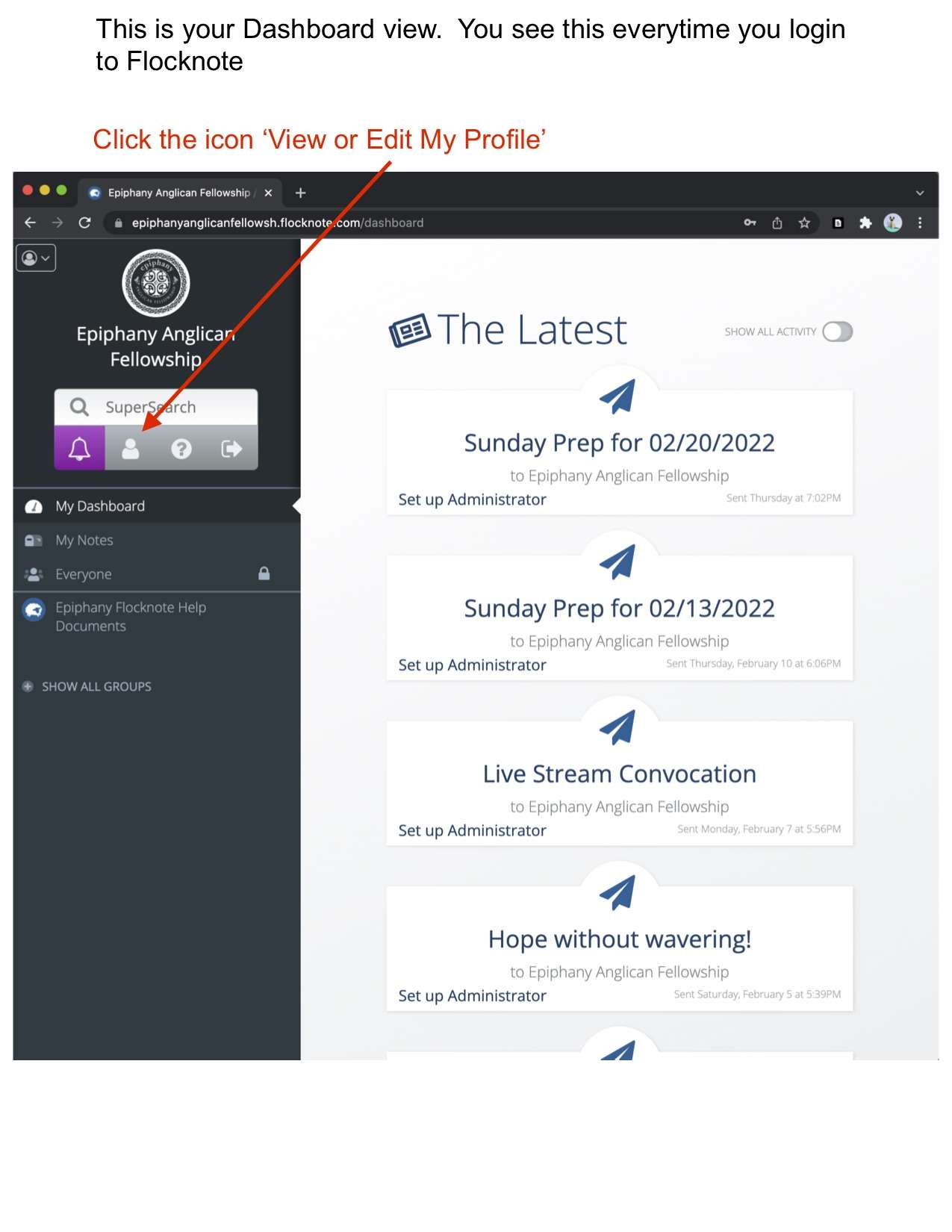
1. Login to the Epiphany Anglican Fellowship Flocknote Space. Instructions for that are available as a note in the same location as these instructions.
2. Click on the 'View or Edit My Profile Icon.' The picture of the person to the right of the bell icon and just under the Super Search text field. This takes you to your profile screen.
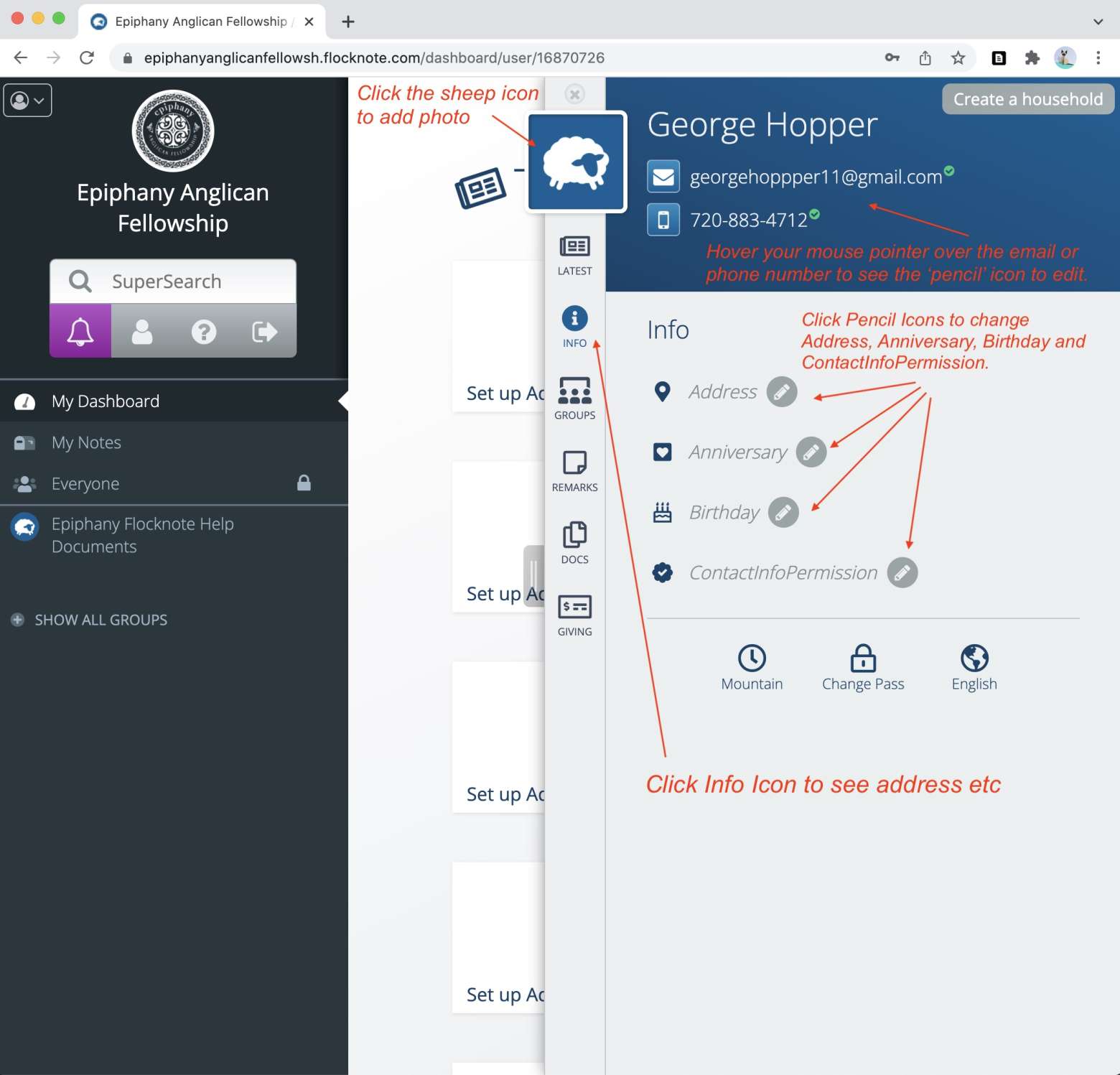
3. Change your email or phone number.
Hover your mouse pointer over either and you will see a pencil icon. Click the pencil icon and you can update your email or phone number.
4. Change your address, Anniversary, or Birthday.
Click on the 'Info' icon on the left task bar which is under the 'sheep' and 'latest' icons.
Click the pencil icon next to each field you wish to change.
5. Add a profile picture.
Click the 'Sheep' icon and upload a picture to your profile.
6. Give permission for your contact info to be included in a church directory for other Epiphany Anglican Fellowship Attendees.
Click the pencil icon next to the text 'ContactInfoPermission.' Check yes or no.
If you have any questions or need help, contact Scott Campbell.
303-882-1627